נכתב ע"י ורד;98511:
התכונת אלי?
אני נתיבית...
אז הנה מה שיש בלינק:
Lightning Brain TextStitch for InDesign
This is a free download; it supports Mac & Windows versions of InDesign CS, CS2 or CS3. Before you can use the
LB TextStitch Plug-In you also have to install our free
Active Page Item Runtime Plug-In (APIR), which is available as a separate download.
Goal
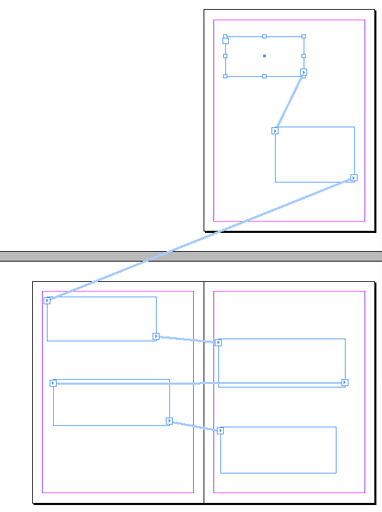
This tool helps you with threading of text frames in InDesign CS, CS2 or CS3. There are three main functions: auto-stitch, quick stitch and auto-unstitch.
Download
LB TextStitch 1.0.3 needs at least
APIR 1.0.42 or higher.
Mac users can
instead also download a combined disk image which contains both the
LB TextStitch Plug-In and the
Active Page Item Runtime Plug-in.
Macintosh Only
This is mainly for people who have never downloaded an
Active Page Item Runtime before, or who have an older version installed - this option combines both the
LB LikeFindsLike Plug-In and the needed runtime.
Macintosh and Windows
This is for people who already downloaded or will download the
Active Page Item Runtime separately. If you already downloaded the combined disk image to your Mac you don't need this.
Usage
It is highly recommended to assign some keyboard shortcuts to the
TextStitch menu items if you intend to use these functions often (using
Edit - Keyboard Shortcuts... ).
1. Auto-Stitch
Auto-stitch will automatically thread all unthreaded text frames it finds, in a logical order (roughly left-right, top-down, page order).
It can be configured to either skip over non-empty text frames, or instead indiscriminately stitch empty and non-empty frames alike into the story thread.
It will always ignore any frames that have already been threaded. When frames are positioned in irregular positions, it'll try to guess a logical order.
This function can be performed either on the current spread, or throughout the complete document.
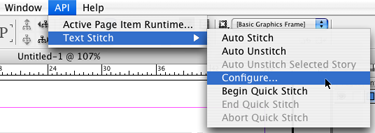
There is a configuration dialog under the
API - Text Stitch - Configure... menu item which allows you to change the setting for the various options.
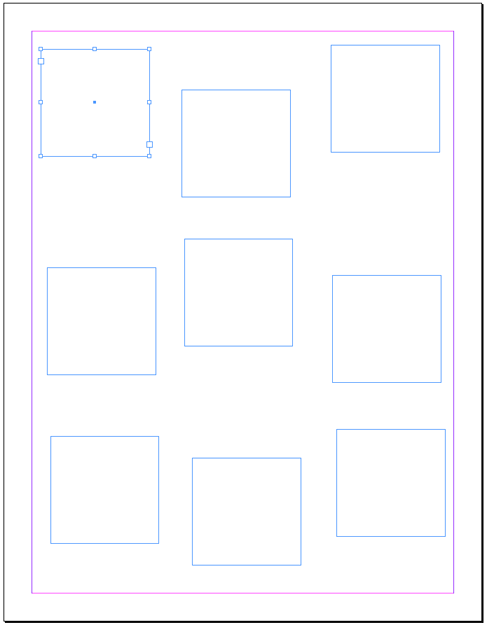
A short example of auto-stitch: consider the following one-page document on which we put some text frames:
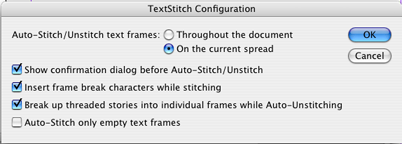
First, we verify the current configuration of
TextStitch:
We want to make sure it will only operate on the current spread, rather than affecting the whole document:
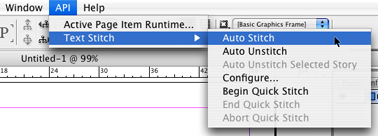
That looks all right, so we close the dialog and ask
TextStitch to perform an auto-stitch:
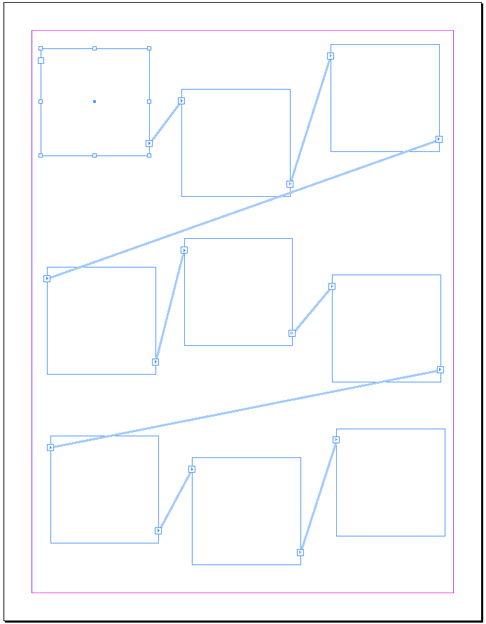
And this is the result (with
View - Show Text Threads activated, and the first frame of the newly formed text thread selected):
2. Quick Stitch
The second function, quick stitch, allows you to 'stitch' multiple text frames together with just a single click per frame.
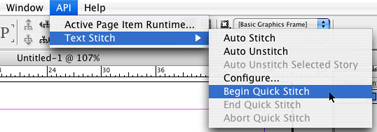
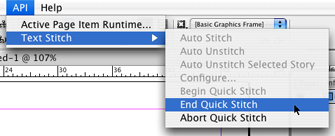
Begin the quick stitch mode by selecting the
API - Text Stitch - Begin Quick Stitch menu item.
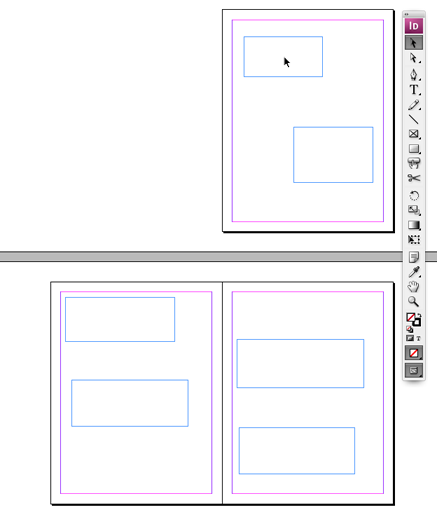
Then use your mouse with the regular selection tool to click the text frames in the desired order, one after the other. Here we are about to click the first frame in the threaded sequence:
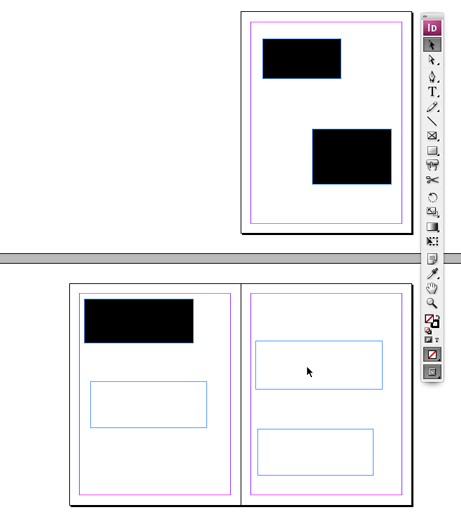
As soon as the frame is clicked, it turns black, making it part of the text thread we are building. If we wanted to, we could click the same frame again, to remove it from the thread, for example if we clicked the frame by mistake.
We continue clicking frames in sequence:
We end the quick stitch by selecting
API - Text Stitch - End Quick Stitch (or hitting the hotkey we might have assigned in the
Edit - Keyboard Shortcuts... editor).
As soon as we end the quick stitch mode (by selecting the
API - Text Stitch - End Quick Stitch menu item), the text frames will be threaded together in the same order we clicked them.
During 'quick stitch' mode, the background of any 'stitched' text frame turns black to signal the fact it has been selected for stitching.
The black background will revert back to its original color as soon as the quick stitch mode is ended. You can also click any blackened text frame a second time to remove it from the 'stitch sequence'.
You can also abort the quick stitch mode, leaving all text frames unchanged, by selecting the
API - Text Stitch - Abort Quick Stitch menu item.
You can use quick stitch mode to 'join' two distinct stories: simply begin the quick stitch mode, click the last frame of the first story, then click the first frame of the second story, and finally, end the quick stitch mode.
By connecting these two 'end-frames' you'll join up the two stories.
3. Auto-Unstitch
Auto-unstitch, the third function, will break text threads. There are three options:
- break all text threads on the current spread
- break all text threads in the current document
- break up the whole story of the currently selected text frame
Depending on how you configure
TextStitch, the stories will be either 'broken' into text chunks, or instead 'bunch up' in the first frame of each story thread.
Be careful with this function as it will also remove
all threads you might have assigned manually.
Let us know if this Scripted Plug-In is useful to you, at <לא ניתן לפרסם מיילים באופן פומבי> Thanks!
Version history:
15-June-2007 Version 1.0.2
- Fixed bug that disabled TextStitch after its first run on a particular document
- Fixed bug when quick-stitching two existing chains together and the first chain ends in one or more empty frames
28-May-2007 Version 1.0.1
- Keep text in frames while unstitching
- Insert optional frame break characters while stitching
- Unstitch selected story
- Continue stitching
19-May-2007 Version 1.0
- Initial Beta Release
 הנושאים החמים







 Download combined disk image with LB TextStitch and Active Page Item Runtime